


People Finder AI Deep Search
3.9178.00 Reviews
App Specs
- Version
- 1.2.8
- Updated On
- License
- Free
- Downloads
- 50,000+
- Developer
- LeoStudio Global Ltd.
- Categories
- Lifestyle
- Platform
- Android
Screenshots

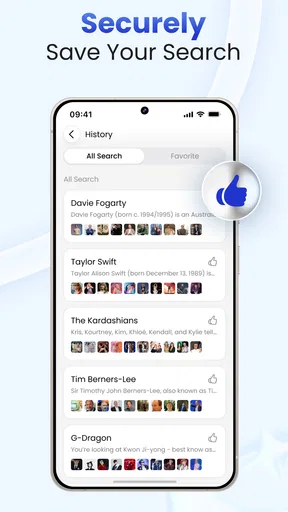
 Analysis by AppCompare
I tried People Finder AI Deep Search as a lifestyle app for the awkward moments when a name, profile, or online clue needs more context. Its basic idea is simple: enter information about a person and let an AI-assisted search help organize publicly available material. That makes it sound like a quick lookup tool, but the real experience is more nuanced. The quality of the outcome depends heavily on the starting information, how common the person’s name is, and how carefully I interpret what appears.
Developed by LeoStudio Global Ltd., the app is free to install and aimed at an Everyone audience. It has reached over 50 thousand installs and holds a 3.9 average from around one thousand ratings, with roughly 178 written reviews. Those numbers suggest a product that has attracted genuine curiosity but still leaves room for a very mixed experience. I would not treat it as a magic identity checker. I see it as a starting point for organizing a public-data search, especially when I already have a clear reason for looking.
From a vague clue to a usable search
When I have only a name or a fragment of context, I find it helps to decide what would make a search useful before I begin: a likely location, a public profile, or a way to distinguish one person from others with the same name. That small pause keeps a people search focused and makes it easier to judge whether a lead deserves attention. Next, I look at how to turn that starting clue into a usable search.
Starting with the right question
The first thing I learned is that the app works best when I begin with a specific question rather than an open-ended request. “Find this person” is too broad when the name is common. A better starting point is a combination of a name and a useful detail, such as a city, profession, username, or another public clue. The more precise the starting condition, the easier it is to judge whether the results belong to the right person.
This matters because people-finder tools can create a false sense of certainty. Several public profiles may share the same name, and a matching image or location is not proof of identity. I use the app to collect possible leads, not to make a final decision about someone. That distinction is especially important for hiring, housing, dating, family matters, or any situation where an incorrect match could cause real harm.
Before searching, I also decide what outcome I actually need. Sometimes I only want to reconnect with an old acquaintance. In another situation, I may want to check whether a public profile appears consistent with information someone has shared. Those are different tasks, and the app is more useful when I define the task first. Otherwise, the search can become a pile of loosely related names and pages.
Entering information without overloading the search
The practical workflow begins with entering the available details into the app’s people-search interface. I prefer to start with the strongest clue and add context gradually. If I enter too many uncertain details at once, I risk filtering out the correct result. If I enter too little, I may receive a broad collection of possible matches that takes longer to assess.
Worth Reading Before You Choose

Flipboard Shows What News Apps Must Do Beyond the Feed

Switching to Android Auto Means Rethinking Your Driving Routine

Google Calendar Makes a Crowded Week Easier to Manage

Ludo King Makes the Most of the Minutes Between Plans

Baby Panda World Brings Quick Play to Modern Phones, but Its Game Library Feels Busy

ESPN’s Live Game View Makes Following Close Games Easier
My most useful approach is a two-pass search. In the first pass, I use the name and one reliable piece of context. I then look at the general shape of the results: do the locations make sense, do the occupations seem plausible, and do the public profiles appear connected to the same person? In the second pass, I refine the search using only details that have a reasonable chance of improving accuracy.
The best habit is to treat every result as a lead that needs corroboration. I do not copy a phone number, social profile, or other personal detail into a message or report simply because the app surfaced it. I compare the context around the result and check whether separate public clues point in the same direction.
Letting the AI organize the discovery process
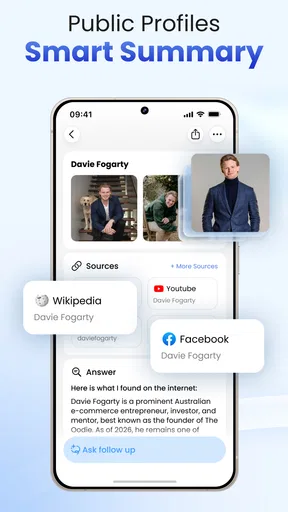
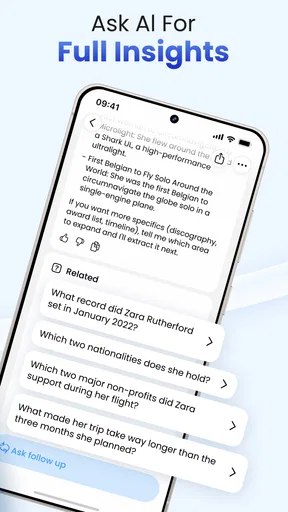
The AI angle is most helpful when it reduces the mental work of sorting possible information. Instead of manually jumping between unrelated searches, I can use the app as a focused place to explore a person’s public footprint. That is a more modest benefit than “AI knows who this is,” but it is also the more realistic one.
I found that the app’s value depends on how much interpretation I am willing to do. An AI-assisted result can make information easier to notice, yet it cannot remove ambiguity from the underlying material. Public data may be outdated, incomplete, duplicated, or attached to the wrong person. The app can help surface connections, but I remain responsible for deciding whether those connections are credible.
That makes the tool more suitable for exploratory research than for official verification. If I need legally reliable identity confirmation, a formal background-check service, a direct conversation, or an official record is a better choice. People Finder AI is more comfortable in the earlier stage, when I am trying to understand what might be available publicly and which clues deserve further checking.
What happens during the handoff from search to judgment
The most important handoff is between the app’s output and my own judgment. The application can present information, but it cannot know the personal context behind my search. I have to decide whether a result is relevant, whether it is current enough to matter, and whether using it is fair in the situation.
For example, imagine I am trying to reconnect with a former classmate whose name is shared by many people. I might begin with the name, add the city I remember, and review the public clues that appear. If one result seems promising, I would compare several independent details before contacting anyone. I would also use a neutral message rather than revealing that I had gathered personal information about them. The app helps with discovery; the respectful handoff happens outside it.
That workflow is different from using a regular search engine. A search engine is broader and often better for finding a known website, news item, or public profile directly. This app is more targeted toward the person-search problem, where the challenge is not only finding pages but also deciding which pages may relate to the same individual. The trade-off is that a general search engine gives me more control over each query, while this app offers a more guided starting point.
Reading the result instead of chasing every match
When a search produces several possible matches, I avoid treating the first one as the answer. I look for a coherent pattern: similar location, consistent work or education details, and public activity that fits the timeframe I know. A single matching name is weak evidence. Multiple compatible clues are more useful, though they still do not guarantee that the person is correctly identified.
I also pay attention to the difference between discovery and confirmation. Discovery means the app has helped me notice a possible profile or public reference. Confirmation requires a separate reason to believe the match is genuine. Keeping those stages separate prevents one of the biggest risks in this category: turning an automated suggestion into an unquestioned conclusion.
Another practical tip is to record the reason each result looked relevant before moving on. I might note that a profile matched the city and profession, rather than simply saving the name. This keeps the search grounded and makes it easier to discard a false match later. It also stops the process from becoming an endless scroll through loosely connected information.
Where the workflow becomes uncomfortable
The main friction appears when the starting information is weak. A common name, an old location, or a username with no distinctive context can lead to uncertainty. In that situation, the AI presentation may feel more confident than the evidence deserves. I would rather see a narrow, clearly qualified set of possibilities than a long list that encourages guesswork.
Another limitation is the nature of public data itself. A person may have little online presence, may use different names across services, or may have information that is no longer current. The absence of a useful result does not tell me much about the person. Likewise, a result that looks detailed may still be assembled from stale or mismatched material. I use the app with that uncertainty in mind.
There is also a privacy and ethics boundary that users should set before opening the search. Looking for a public professional profile is very different from trying to expose sensitive details about a private individual. I would skip the app entirely if my purpose involved harassment, surveillance, intimidation, or bypassing someone’s clear wish not to be contacted. A convenient search interface does not make every possible use appropriate.
Free access and the cost decision
The app is free to download, which makes it easy to test the basic workflow before deciding whether it belongs in my regular toolkit. In-app purchases range from about $6.99 to $69.99 per item, so I would be careful before paying for deeper or more extensive searches. The sensible approach is to understand what the free experience can do, identify the exact problem I am trying to solve, and only then consider whether an upgrade is worthwhile.
I would not pay simply because a result looks interesting. I would pay only when the search has a legitimate purpose, the initial clues are strong enough to make a useful outcome likely, and the potential value is greater than the cost. For a one-time attempt to reconnect with someone, the purchase may not make sense if the search starts with almost no information. For repeated research into public professional identities, the calculation could be different, but I would still examine each result critically.
Who will get the most from it
This app is a reasonable fit for someone who wants a guided way to explore public information about a person and does not want to build every search query manually. It may appeal to users checking a possible professional identity, reconnecting with an old contact, or organizing clues scattered across public profiles. The AI-assisted approach can make the first stage feel less intimidating than starting with a blank search engine page.
It is less suitable for anyone expecting guaranteed identity verification, complete records, or a definitive answer from a single name. I would also steer away from it for high-stakes decisions where an error could affect employment, housing, safety, or legal rights. In those cases, official sources and consent-based processes are more appropriate than an exploratory lifestyle app.
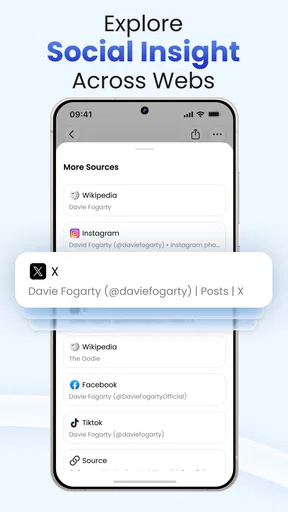
Compared with social-network searching, People Finder AI offers a more focused starting point, but it may provide less direct control over how I construct every query. Compared with a traditional search engine, it is narrower and more purpose-built, while a search engine may be better when I already know the exact website or phrase I need. Compared with formal verification services, it is more casual and accessible, but it should not be treated as an equivalent substitute.
Everyday reliability depends on the user
My overall impression is that the app succeeds when I use it as a research assistant rather than an authority. It can help turn a vague people-search task into a sequence: define the question, enter a strong clue, review possible matches, refine carefully, and verify independently. That sequence is more valuable than any individual result because it gives me a safer way to think about uncertain public information.
The current release is version 1.2.8 and supports devices running Android 8.0 or later. That makes it accessible to many older Android phones, although the practical experience will still depend on the device and the quality of the information I provide. Its Everyone age rating makes the app broadly approachable, but younger or less experienced users may still need guidance about privacy, consent, and the difference between a public clue and a confirmed fact.
My final take after following the full workflow
I would recommend People Finder AI Deep Search to a friend who wants help beginning a careful public-data search and understands that the app cannot replace judgment. Its strongest point is the guided path from a name or clue toward a more organized set of possibilities. The useful outcome is not “the AI found the truth,” but “I now know which public leads deserve careful checking.”
I would skip it when the task requires official certainty, when the starting information is too vague to support a responsible match, or when the search would intrude on someone’s privacy. I would also approach the in-app purchase range cautiously and avoid spending money before confirming that the search has a realistic chance of answering my actual question.
For me, the deciding factor is discipline. Used slowly, with independent checks and a clear purpose, the app can be a convenient first step in finding public information. Used as a shortcut to judge someone, it becomes unreliable and potentially unfair. That balance explains its 3.9 average: the concept is appealing and sometimes practical, but the final quality depends as much on the user’s clues and judgment as on the app itself.
Pros
- Searches across multiple public sources from one interface.
- AI-assisted results can help organize names
- locations
- and related details.
- Useful for reconnecting with people when you have limited information.
- Simple search process suitable for users without research experience.
- May save time compared with checking separate directories manually.
Cons
- Results may be incomplete
- outdated
- or incorrectly matched.
- Public records can vary significantly by country and region.
- Some detailed information may require payment or a subscription.
- Searching people raises privacy and responsible-use concerns.
- Search quality depends heavily on the accuracy of the details entered.
FAQs for People Finder AI Deep Search
What is People Finder AI Deep Search and what does it do?
People Finder AI Deep Search is designed to help users locate publicly available information associated with a person, such as possible social profiles, online mentions, or other searchable records. It is not a guaranteed identity-verification service, and the results can vary depending on the person’s online presence, location, name, and the quality of the information indexed by external sources.
How accurate are the search results in People Finder AI Deep Search?
Search accuracy depends on the amount and reliability of publicly available data. Common names may produce mixed results or information belonging to different people, while individuals with limited online activity may return very little. Before relying on any result, compare details carefully and treat matches as suggestions rather than confirmed facts. The app should not replace official background-check or identity-verification services.
Does People Finder AI Deep Search access private accounts or hidden information?
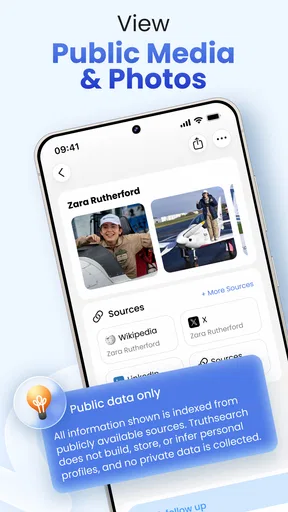
The service is generally intended to search information that is publicly accessible or available through permitted data sources. It should not be assumed that it can access private social-media profiles, locked accounts, confidential records, passwords, or deleted content. Users should respect privacy settings, applicable laws, and the rights of the people they search for, especially when using results for personal, employment, housing, or legal decisions.
Is People Finder AI Deep Search free to use, or does it require payment?
Availability of features may depend on the app version, subscription plan, region, or search package offered at the time of use. Some functions may be free while detailed reports, repeated searches, or expanded results can require payment. Before starting a search, review the pricing page, trial conditions, renewal terms, and cancellation instructions to avoid unexpected charges through Google Play or the App Store.
What privacy and safety precautions should I take when using the app?
Avoid entering unnecessary sensitive information, such as government identification numbers, financial details, passwords, or private correspondence. Review the permissions requested by the app and read its privacy policy to understand how search queries and account data are handled. Use results responsibly, do not harass or impersonate anyone, and remember that inaccurate information can cause harm if shared or used without verification.


